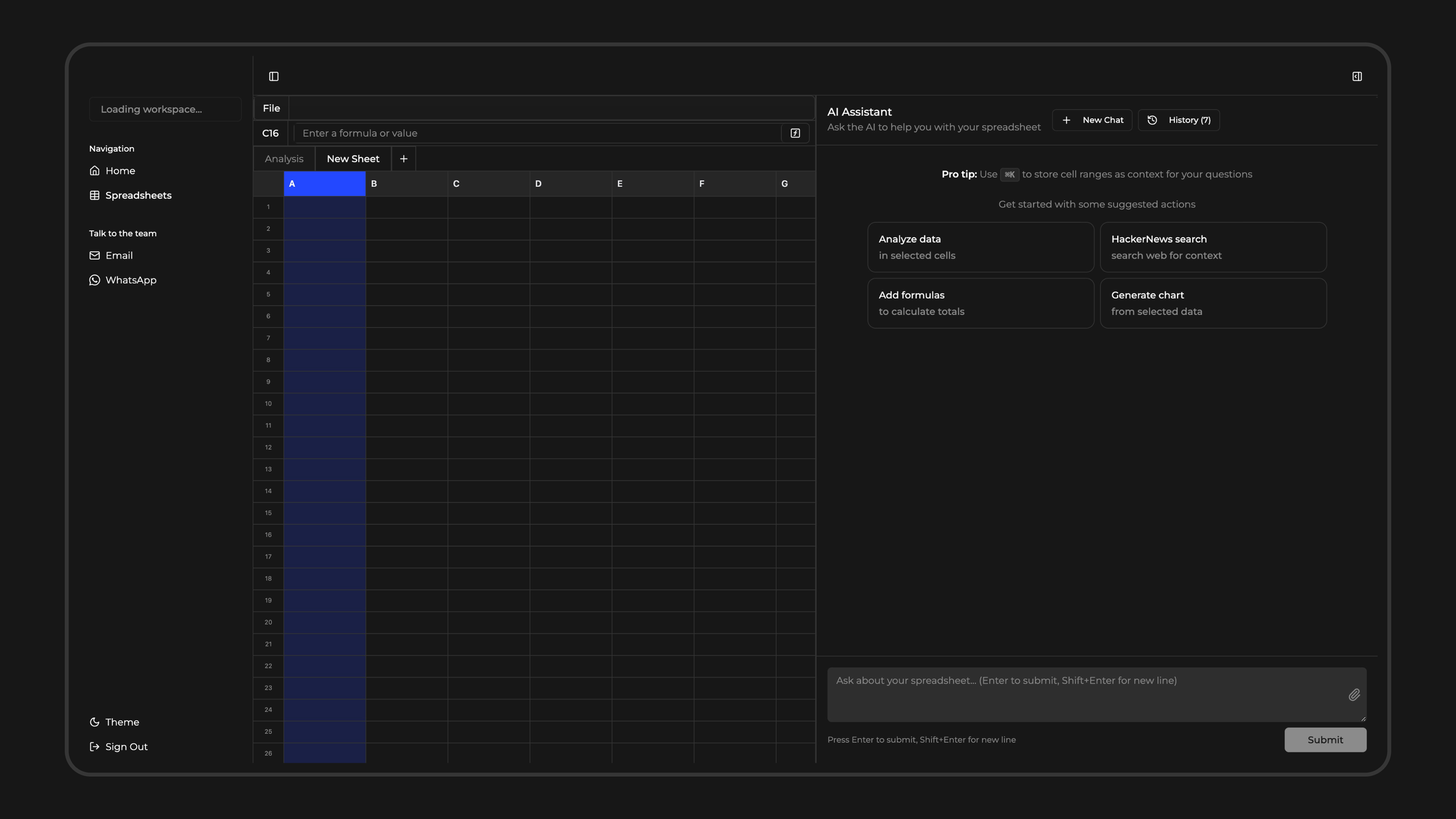
A lot of Shopify work already ends up in Google Sheets.
Even if exporting data is a pain, it’s still the easiest place to clean it, check it, and turn it into something usable.
Getting there still takes too much work. Export orders from Shopify, pull ad data from other platforms, deal with different formats, clean everything before you can even start answering a question, and then repeat the same work every week.
Now you can use Superworker directly inside Google Sheets with our new add-on.
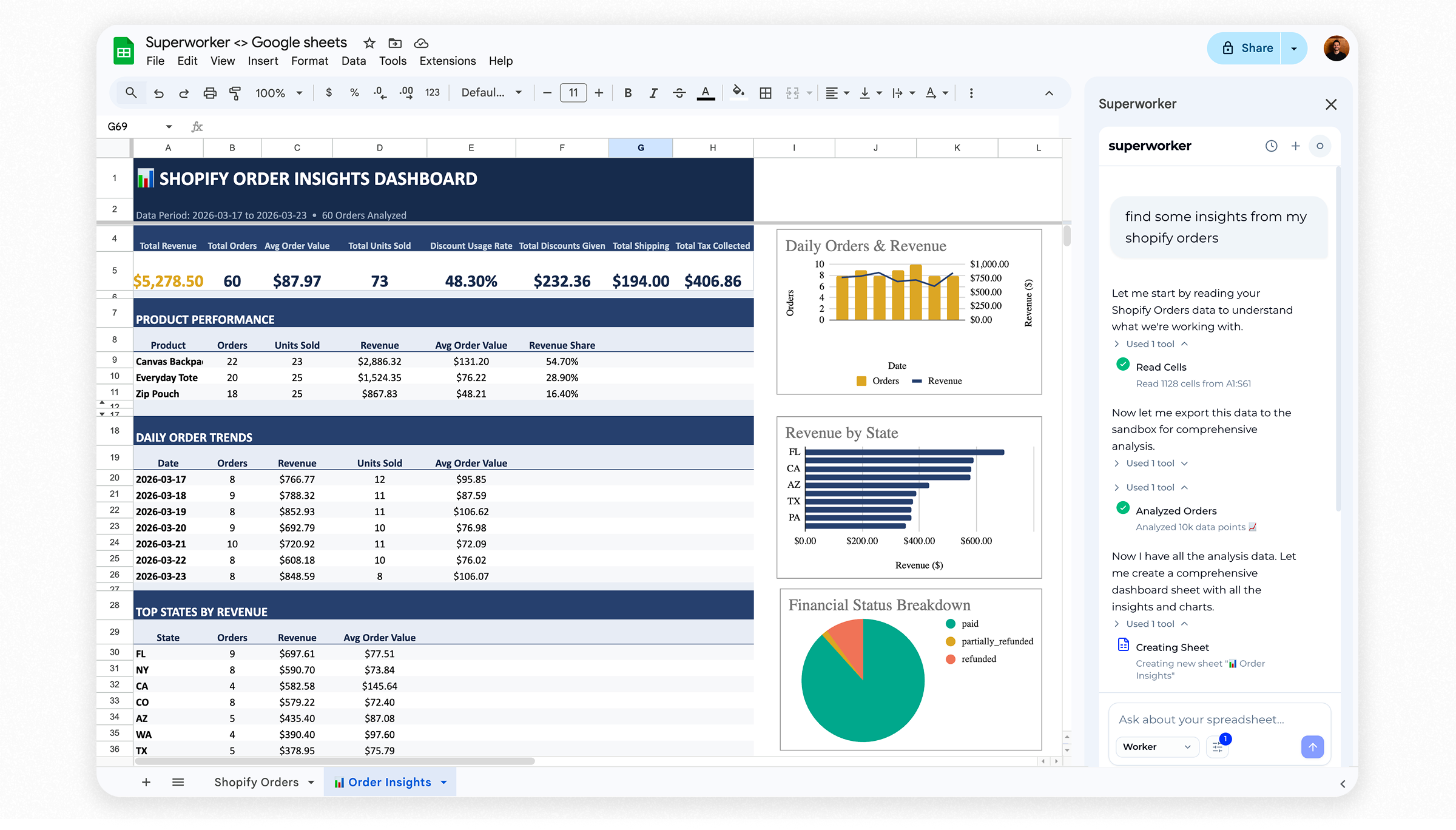
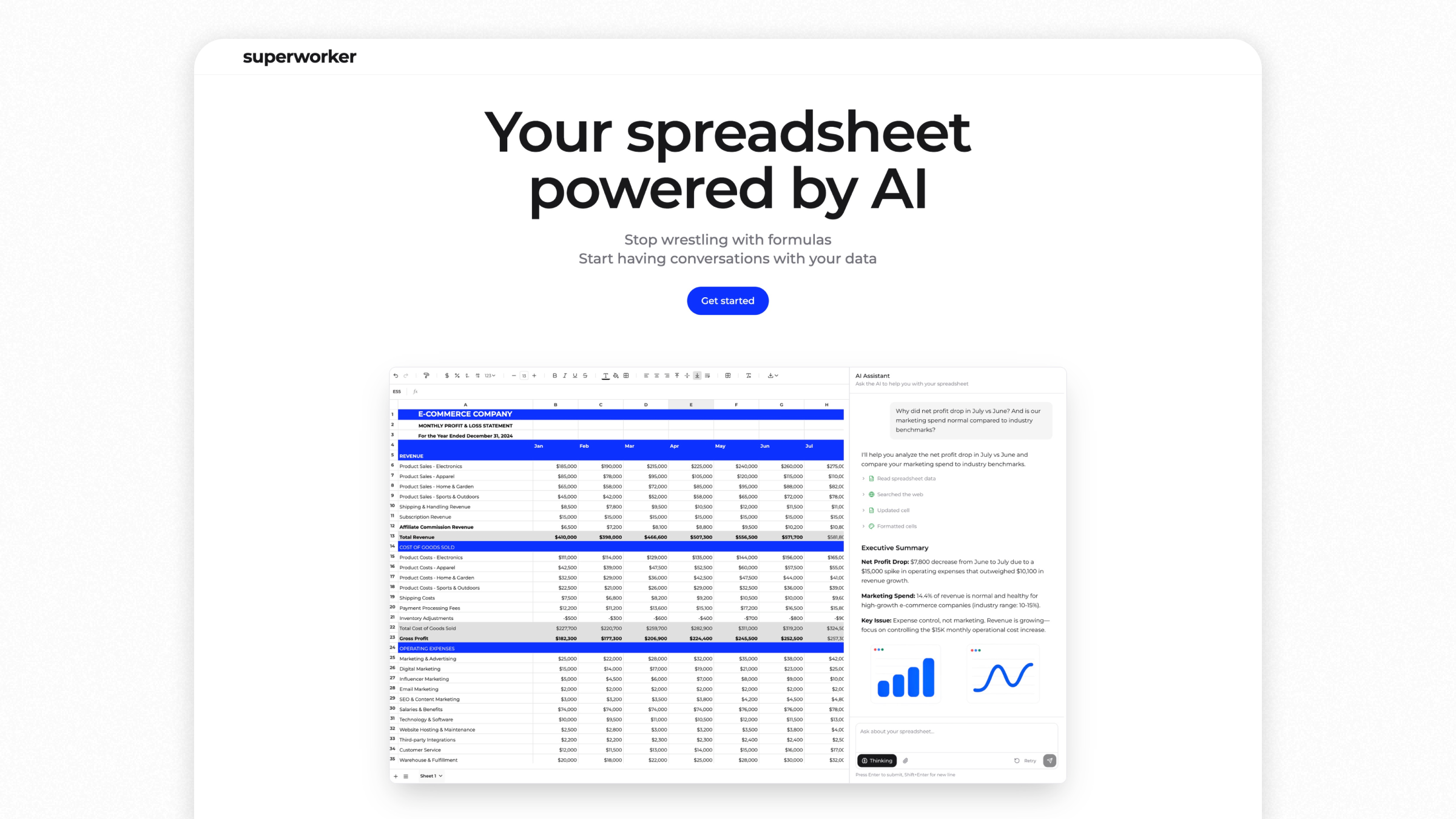
Instead of cleaning and stitching data together first, you can work from the sheet you already have and ask Superworker to do the work for you. It cleans your data, works across sheets, cross-analyzes it, builds graphs, and leaves real formulas so you can trace every number.
When you need to make a decision about your Shopify store, the first step is usually understanding what’s actually happening in the data.
In practice this often means exporting CSVs from Shopify, cleaning them up, and stitching them together before you can even start analyzing.
You can now connect your Shopify store directly to Superworker and bring your store data into a spreadsheet automatically.
Superworker pulls the relevant data from Shopify, combines it with other sources, and cleans it so it’s ready to analyze.
From there you can ask questions in plain English directly in the spreadsheet, and Superworker runs the analysis for you.
We’re working with a small group of Shopify merchants and agencies to shape the integration.
Access is currently invite-only while we onboard each store manually. We set up the connection with you and make sure the data and analysis work well for your workflow.
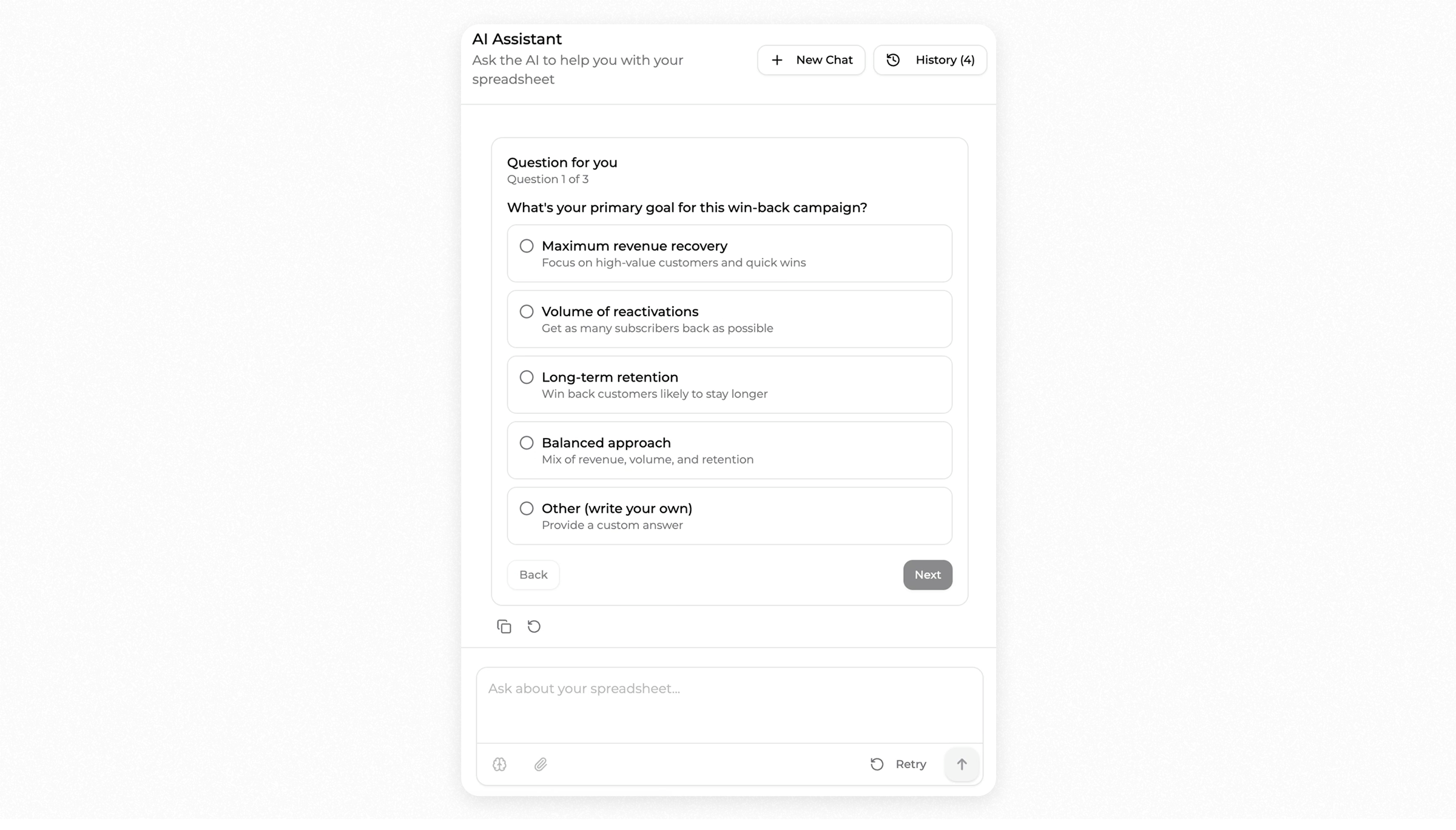
Superworker can now ask a few questions before running an analysis.
When you describe what you want to do, it may ask about your goal, available channels, or other constraints. Your answers help shape how the analysis runs.
In the video below, two e-commerce operators upload the same win-back list and ask for a re-engagement campaign.
One focuses on revenue recovery, using email and SMS with a flexible budget.
The other focuses on long-term retention, using email only with a limited budget.
Same file and same request, but different strategies because their priorities are different.
The analysis now adapts to how you actually run your business.
Superworker now helps you uncover critical insights from your Shopify CSV that can transform your business strategy this week.
How it works
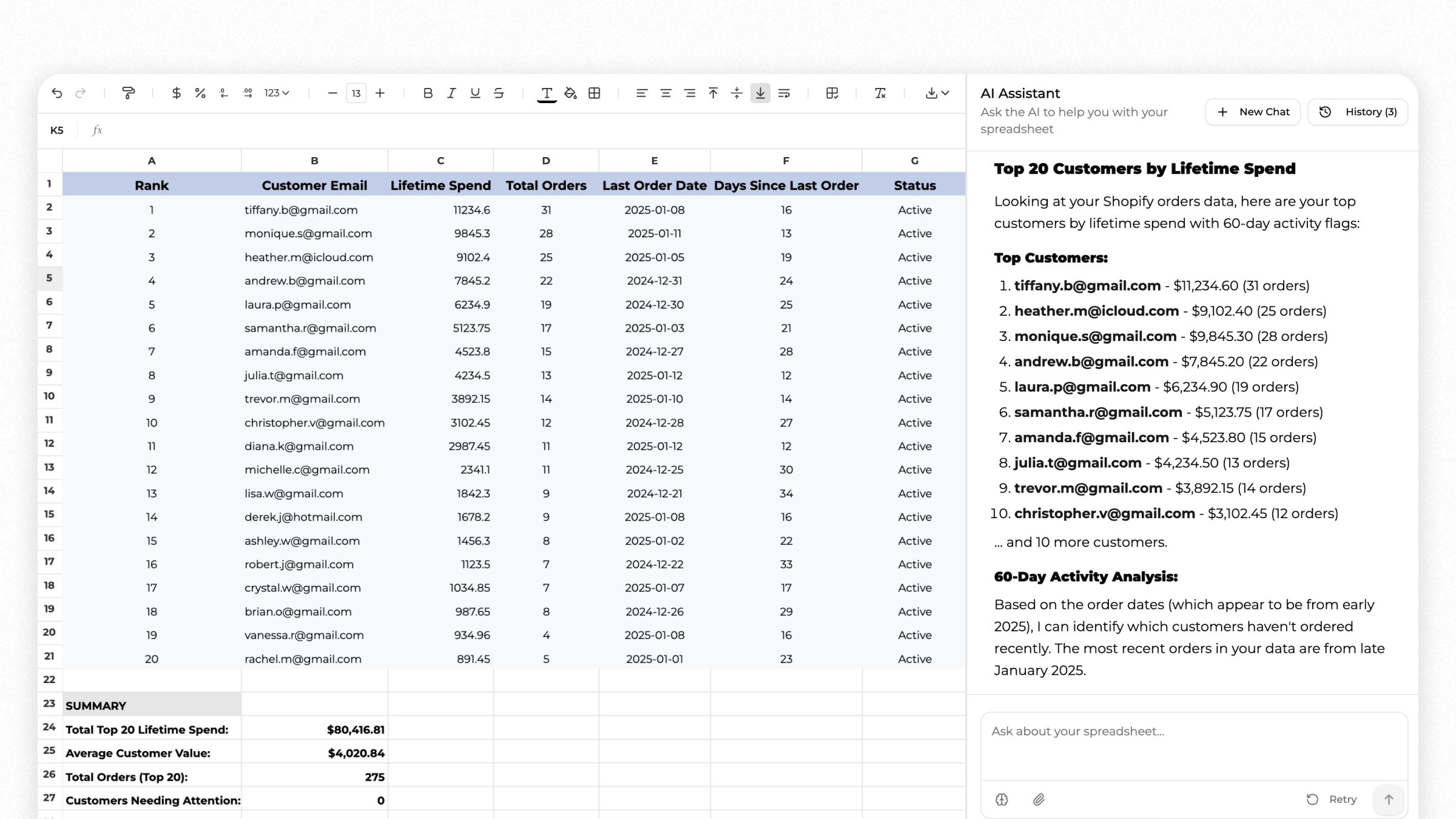
Your Average Order Value (AOV) will look different depending on where the customer came from. Meta buyers and organic buyers rarely behave the same way, and knowing that gap changes how you bid. Subtract "Created At" from "Fulfilled At" and you get your fulfillment speed. Most people ignore this number, but it shows up in your reviews and in whether someone buys again. Refund rates by SKU will surprise you. Some of your bestsellers are quietly killing your margins once you account for returns. Same goes for discount codes, pull the data and you'll often find they didn't lift AOV at all, just gave away margin. And find your top 20 customers by lifetime spend. These are people worth reaching out to personally. You can get all of this just by asking for it.
Example
A merchant realized their Meta-acquired customers spent 15% more than organic ones, prompting a shift in ad spend. They also discovered that delayed fulfillment was affecting repeat purchases, leading to a process overhaul.
Ask Superworker, and get these insights from the file you already have.
You can now pull Shopify discount code performance with a single prompt.
AOV by code, usage count, repeat purchase rate by acquisition source. No manual report stitching.
A Shopify apparel brand with 6 active codes discovered WELCOME10, their most-used code, dropped AOV from $94 to $61. Those customers bought again 11% of the time. Full-price buyers: 34%. A small discount wasn't just trimming margin, it was pulling in the wrong people. BLACKFRIDAY30 ran at 30% off and hit $102 AOV, their best segment.
Black Friday buyers show up with intent. The discount is the occasion, not what convinced them to buy.
Half a day of analyst work. Now one prompt.
Works well for any Shopify store running multiple discount codes, especially teams heading into a promo period or anyone who suspects their welcome code is costing more than it earns.
Superworker now offers AI Reasoning for inventory planning. Describe your situation and receive instant, actionable plans.
Describe your budget and SKU's details, get precise category allocations tailored to your needs, receive clear ordering timelines based on lead times, and be able to identify critical cash flow alerts for proactive management.
Example
An e-commerce team used this feature to efficiently allocate their resources and streamline ordering processes, turning hours of complex modeling into minutes of high-level decision-making.
Works great for
E-commerce inventory management
Financial planning teams
Operations teams looking to optimize SKU investments
Got a stack of PDF expense reports? Upload them to Superworker and get every line item pulled out, categorized, and organized in seconds.
Superworker reads your PDF and sorts each expense into categories like raw materials, packaging, payroll, shipping, and more. No manual data entry. No copy-pasting into spreadsheets.
Before:
You'd open a PDF, squint at line items, and type each one into a spreadsheet row by row. A single monthly report could eat 30-45 minutes.
Now:
Upload the PDF. Superworker extracts every line item, tags it by category, and gives you a clean cost breakdown you can actually work with.
This is especially useful if you're running a monthly budget review, looking for places to cut costs, or pulling together financial reports for your team. One upload, full visibility into where the money's going.
Subscription brands on Shopify can now tackle messy CSV exports with ease. Say goodbye to duplicate entries and confusing cancel reasons with Superworker's latest update.
How it works
Consolidate duplicates and automatically identify and merge duplicate customer records.
Standardize cancel reasons and group similar cancel reasons to gain clear insights.
Monthly retention report and generate a comprehensive retention report in minutes.
Example
A coffee brand managing subscriptions faced the issue of duplicate entries like Maya's. She appeared separately for coffee and matcha subscriptions, making MRR tracking complex. With Superworker, Maya's subscriptions are combined, providing a clear $49.90 MRR. Cancel reasons like "too expensive" and "too pricey" are now unified for accurate analysis.
Works great for
Automated subscription cohort analysis for Shopify brands. Track monthly retention, reduce Excel time, eliminate errors. Built for DTC subscription businesses.
Superworker now cleans up Shopify CSV exports automatically, fixing nested blank cells and broken structures.
Just upload your file, and it's ready for analysis or import into other tools. An e-commerce team was spending 30 minutes daily fixing their Shopify exports. Now, they upload the file, and Superworker handles thousands of rows instantly, giving them time back for strategic planning.
Works great for e-commerce data analysis, weekly sales reporting, and inventory management.
Superworker now simplifies market expansion analysis, giving you time back for strategic decisions.
How it works
Describe your business case
The AI runs live web research
Builds a structured comparison with key market data and gives a clear recommendation
Example
A California-based protein supplement brand making $400k/month needed to choose between Texas and Florida for expansion.
Superworker analyzed both markets and found that Texas has a $3.3B fitness industry, a 32% larger population, and 7.1% annual market growth. It recommended Texas and highlighted key metro hubs like Austin and Dallas.
The AI also created a visual bar chart to compare metrics and drafted a GTM roadmap, including boutique gym partnerships and events like the Arnold Classic.
Everything stays centralized in your spreadsheet.
Works great for
Strategic market decisions
Business case analysis across e-commerce use cases
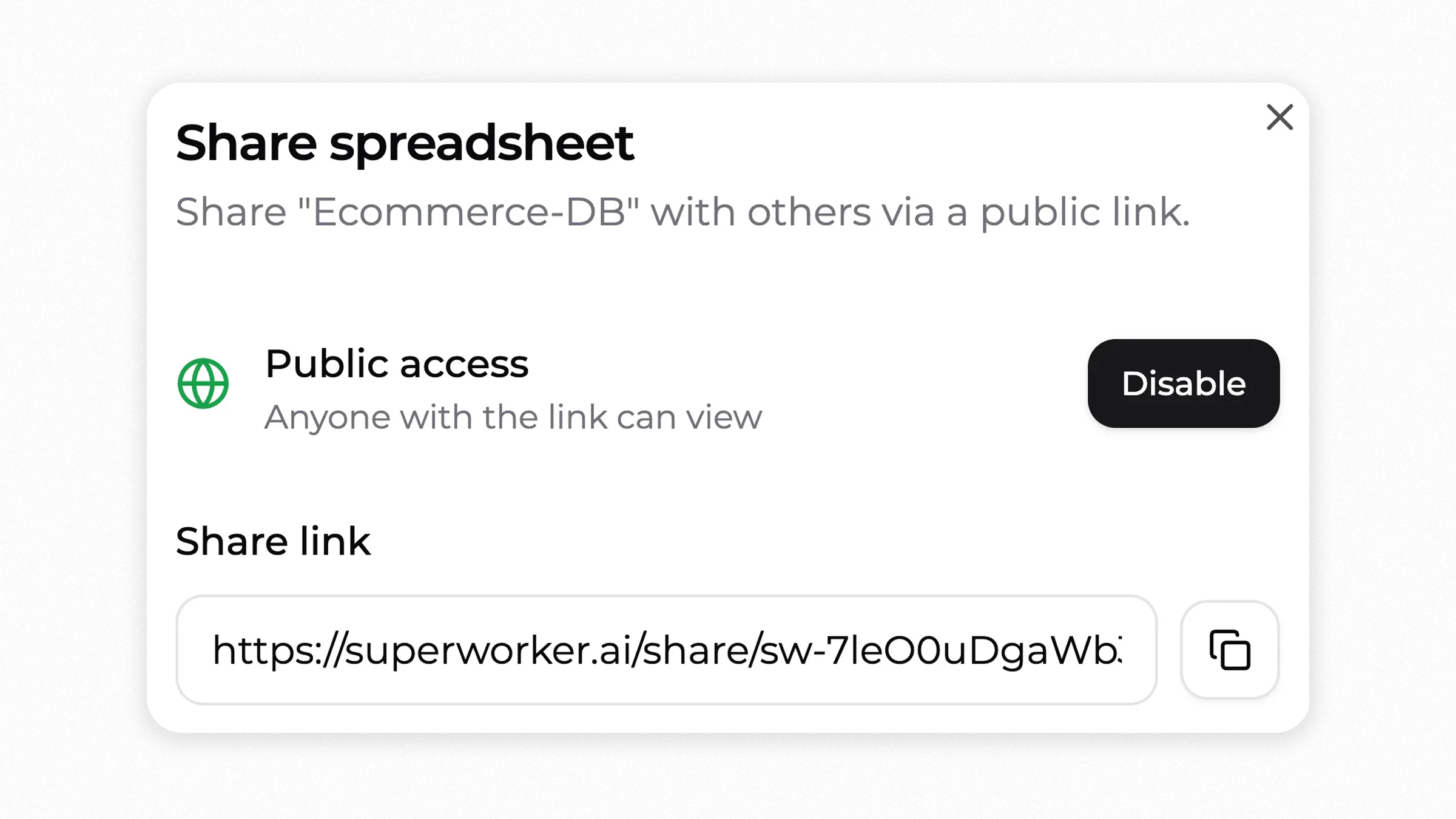
You can now share your spreadsheets instantly and work collaboratively with your team.
Old way
Emailing static files back and forth, managing multiple -versions, and losing track of changes.
New way
Share your spreadsheet with a link: everyone stays updated in real-time.
How it works
Open your spreadsheet and click "Share"
Send the link to your team, partners, or clients
Real example
An e-commerce team needed to update inventory across their sales channels. What used to be multiple emails and version confusion is now a single shared spreadsheet they update directly.
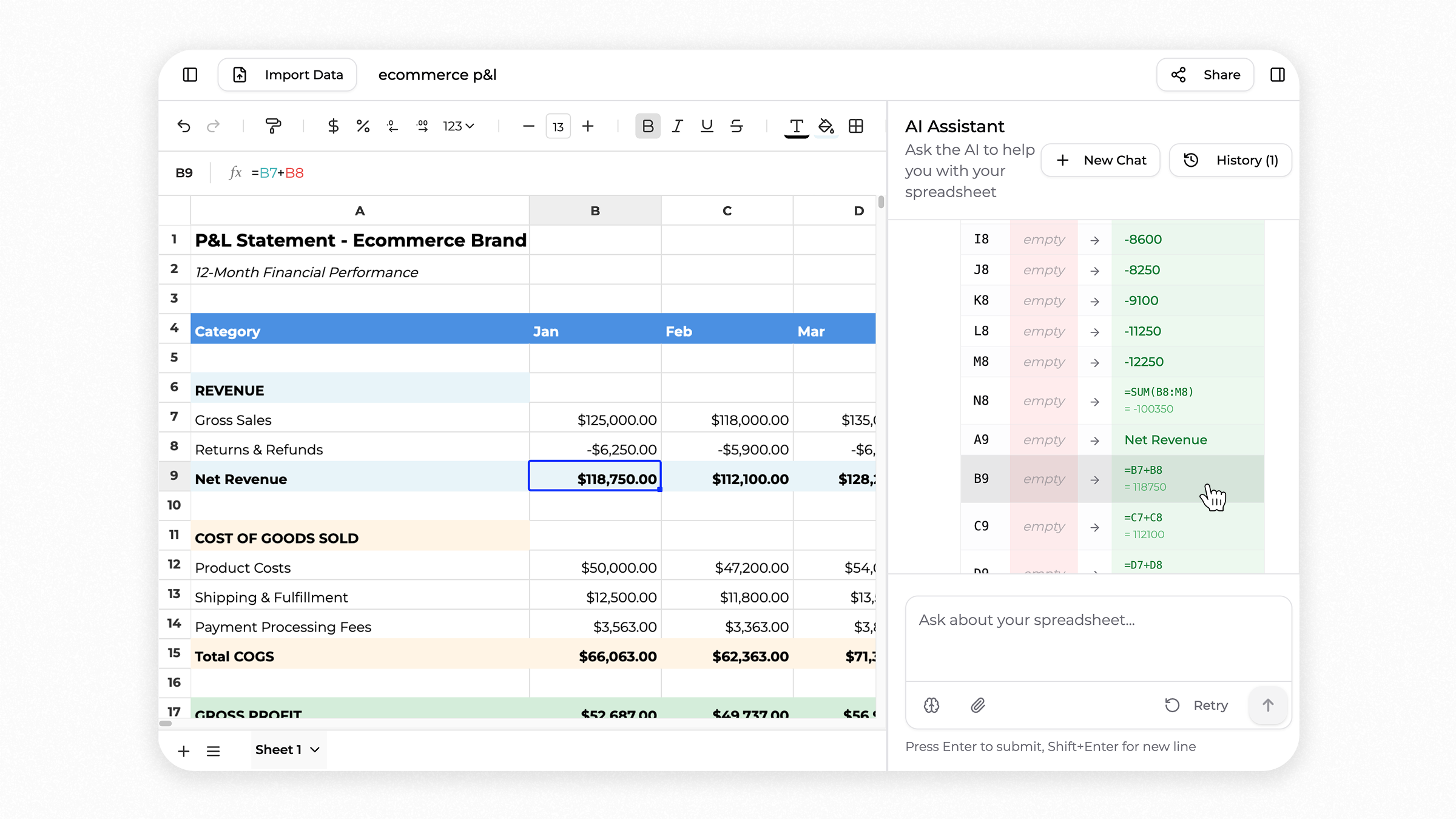
Superworker now highlights the changes the AI agent makes in your spreadsheet, so you can clearly see what was updated.
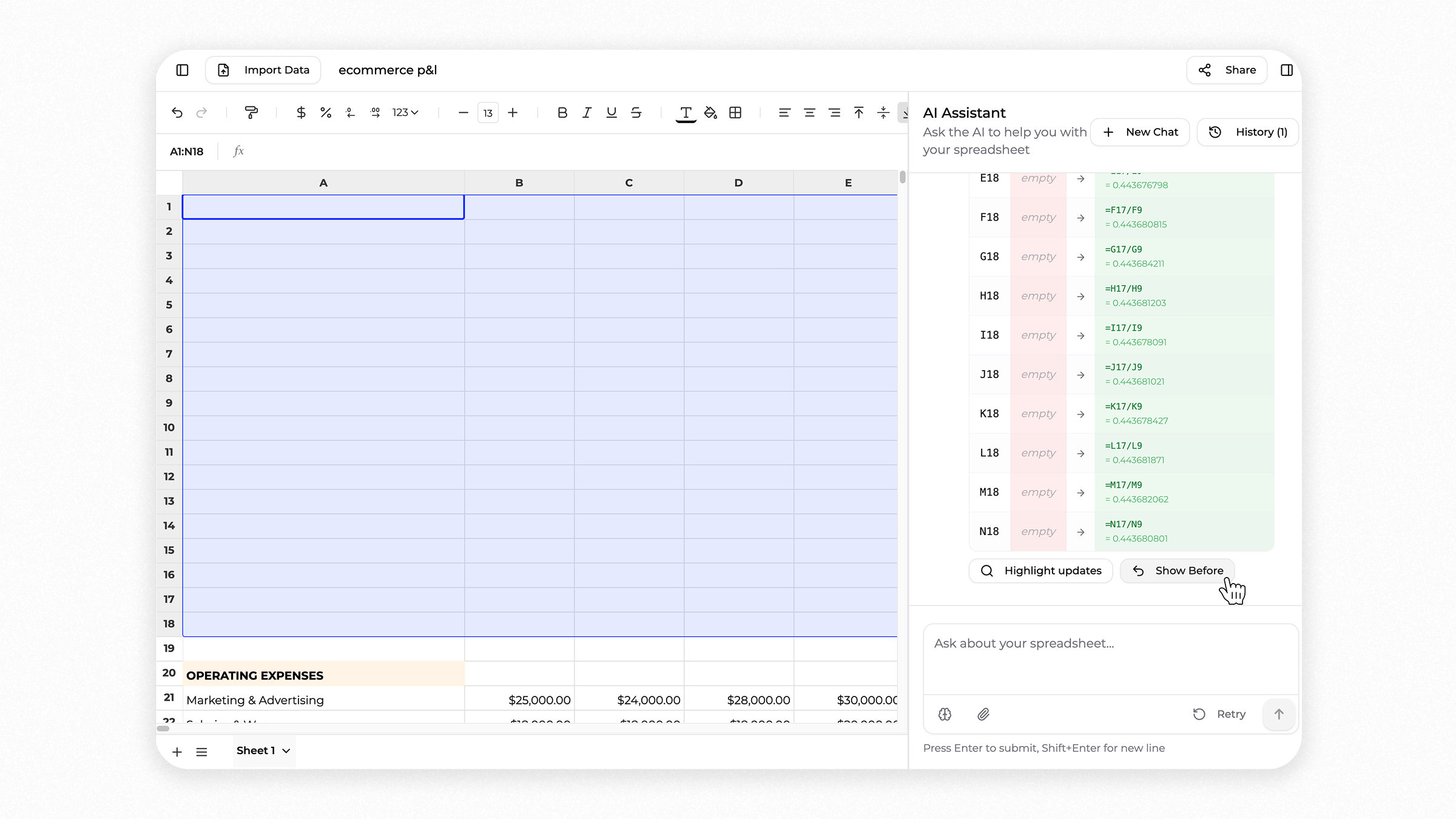
If the result is not what you expected, you can undo the AI's changes and return to how your spreadsheet looked before.
Example: Building an ecommerce P&L
A finance or ops manager at a Shopify store or DTC brand asks the AI to generate a 12 month profit and loss spreadsheet using plain language.
The AI builds the P&L directly in the spreadsheet, adding revenue, cost of goods sold, marketing spend, operating expenses, and margins across each month.
As the AI works, Superworker highlights every change it makes. You can see which cells were updated, what values or formulas were added, and how the numbers were calculated.
If something doesn't look right, you can undo the AI's changes and return to the spreadsheet as it looked before.
This makes it easier to review Shopify financial reports, ecommerce marketing budgets, or operational dashboards without losing control of your data.
From raw CSV to actionable profitability insights in seconds
We’ve been improving Superworker for e-commerce teams, so we tested a simple workflow we’ve seen a few brands do.
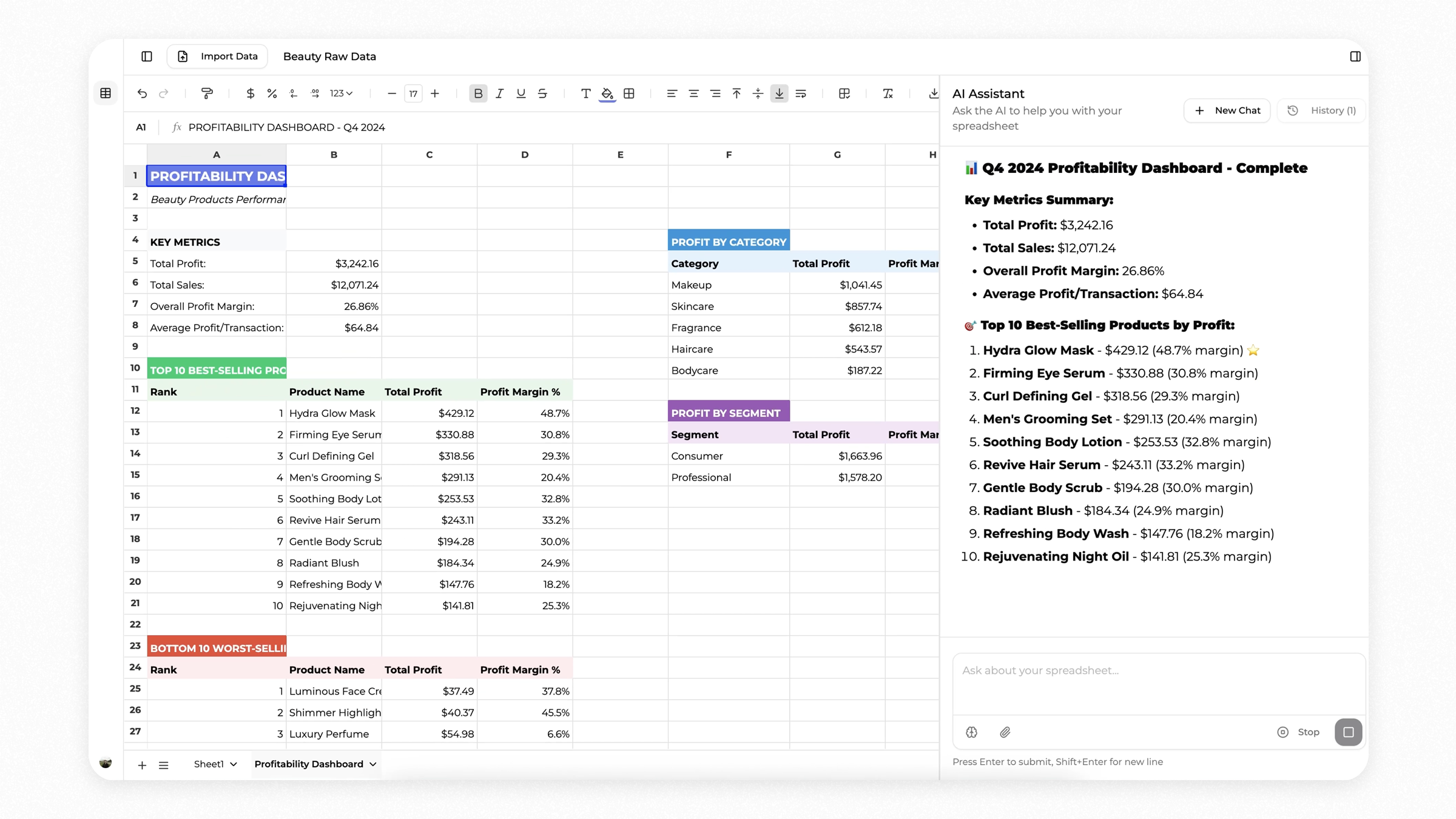
For example, this beauty brand wanted to check which SKU had the best margin. They downloaded their raw sales CSV, uploaded it into Superworker and asked for a breakdown.
In a few minutes it generated a profitability analysis. It flagged the Hydra Glow Mask product as the top performer with a 48 percent margin and surfaced the bottom 10 products dragging profitability down.
The best part is that Superworker handled everything, from deciding what data to take into account to running the formulas and the analysis. No need to figure out VLOOKUPs, pivot tables or any manual setup.
Sonnet 4.5 is now fully live on Superworker, adapted for how our AI analyst works with spreadsheets. It’s sharper at reasoning through complex steps and better at figuring things out on its own when it gets stuck.
Expense analysis improvements
We've been refining the analysis logic to make it even more accurate and helpful for spotting spending patterns.
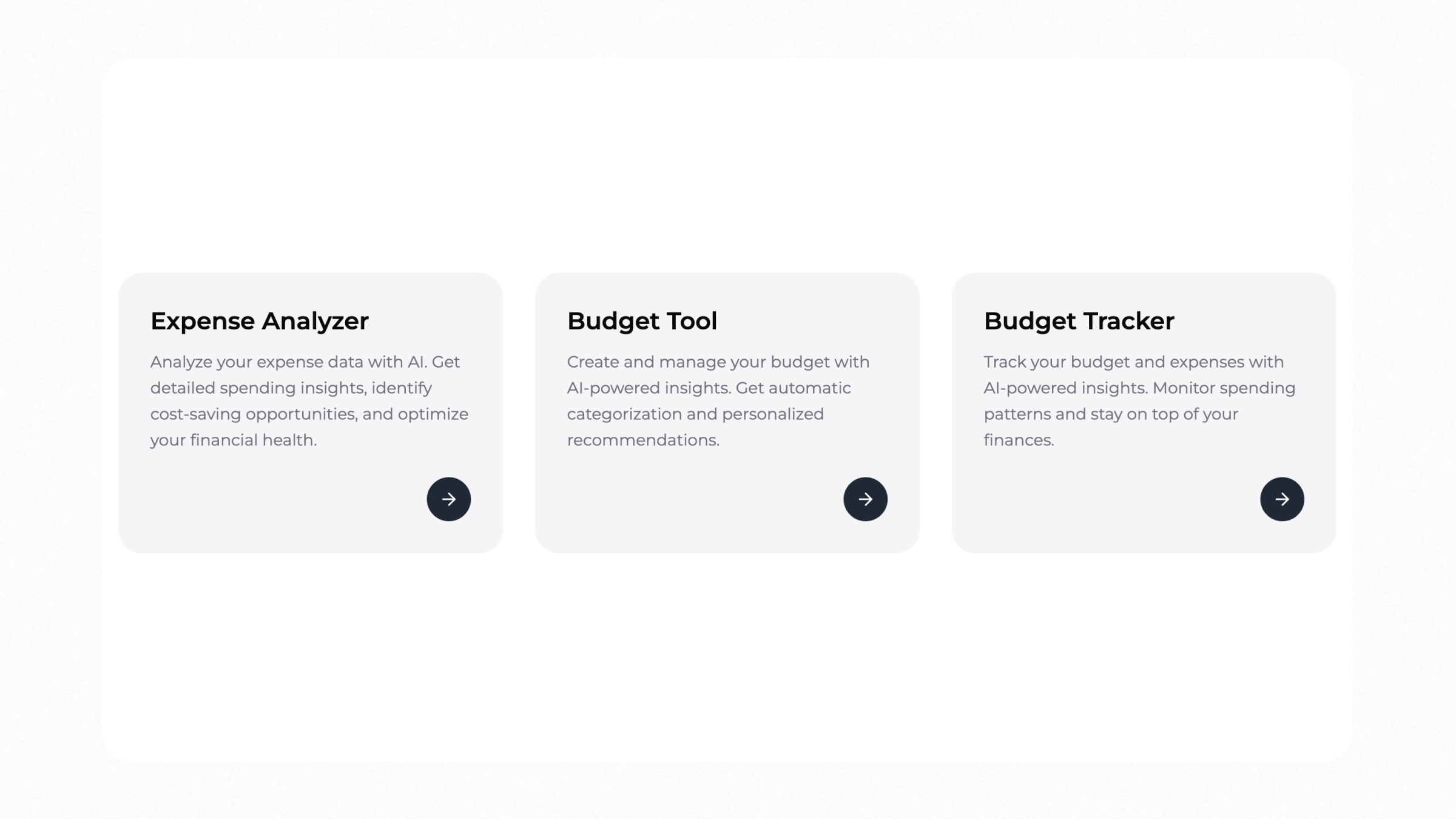
Turn raw expense files into a clean spreadsheet with insights in minutes. Upload a CSV or Excel file. Superworker cleans, categorizes, removes duplicates, and highlights where money goes and where you can save.
What you’ll see
Categorized expenses by merchant and type
Duplicates detected and cleaned
Vendor rollups and monthly trends
Budget variance by category
Flags for high-spend and recurring charges
You get structured data plus an insights sheet.
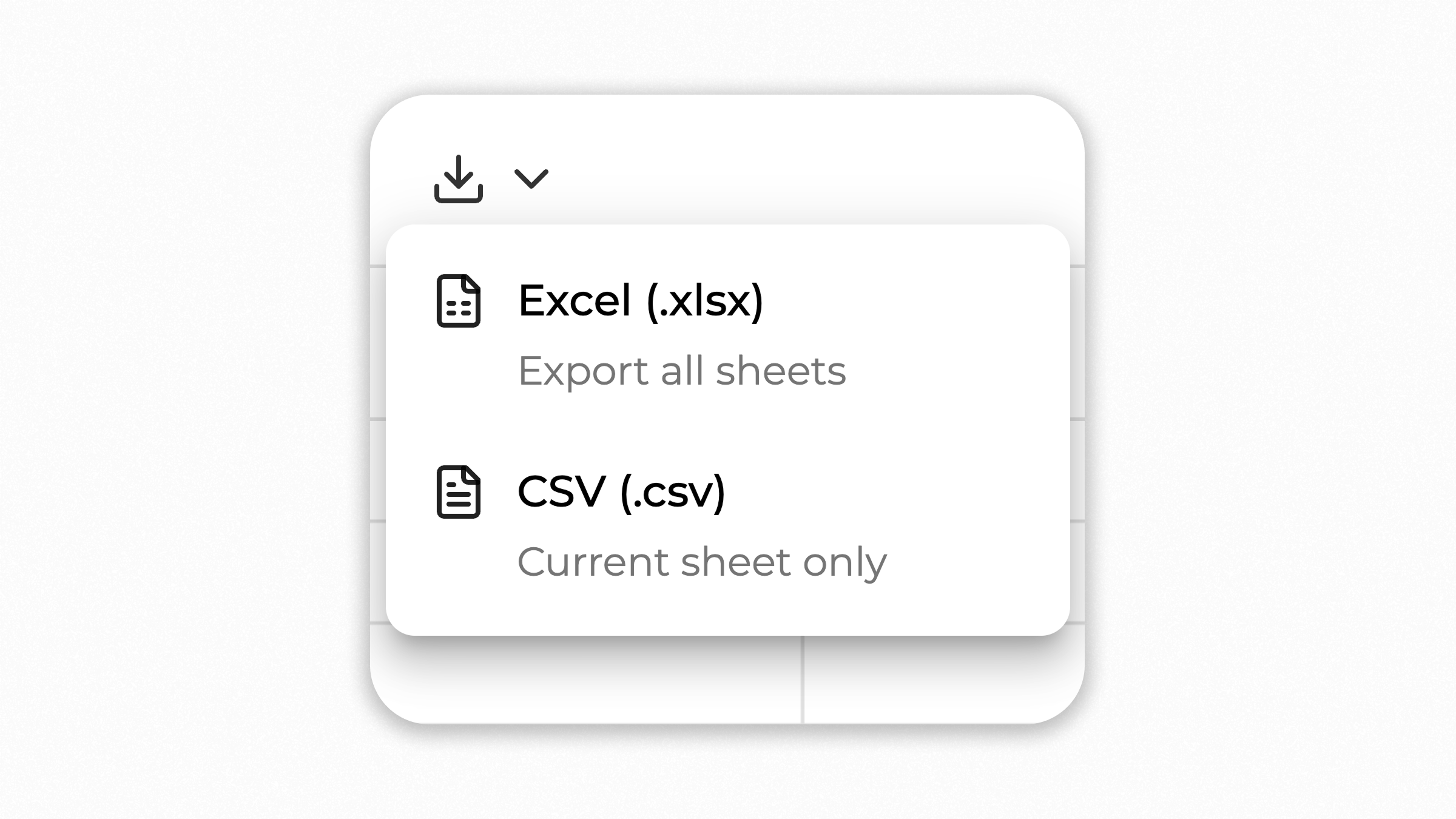
Ask follow-ups, adjust the analysis, or export to CSV, Google Sheets or Excel when you're done.
Every search now comes with a sources column. We asked Superworker to get the 10 best-selling products on Shopify.
It instantly pulled them into a spreadsheet, then went further by adding prices, profits, estimated revenue, and a quick summary. Now every search comes with a “Sources” column automatically, so you can see exactly where the data came from.
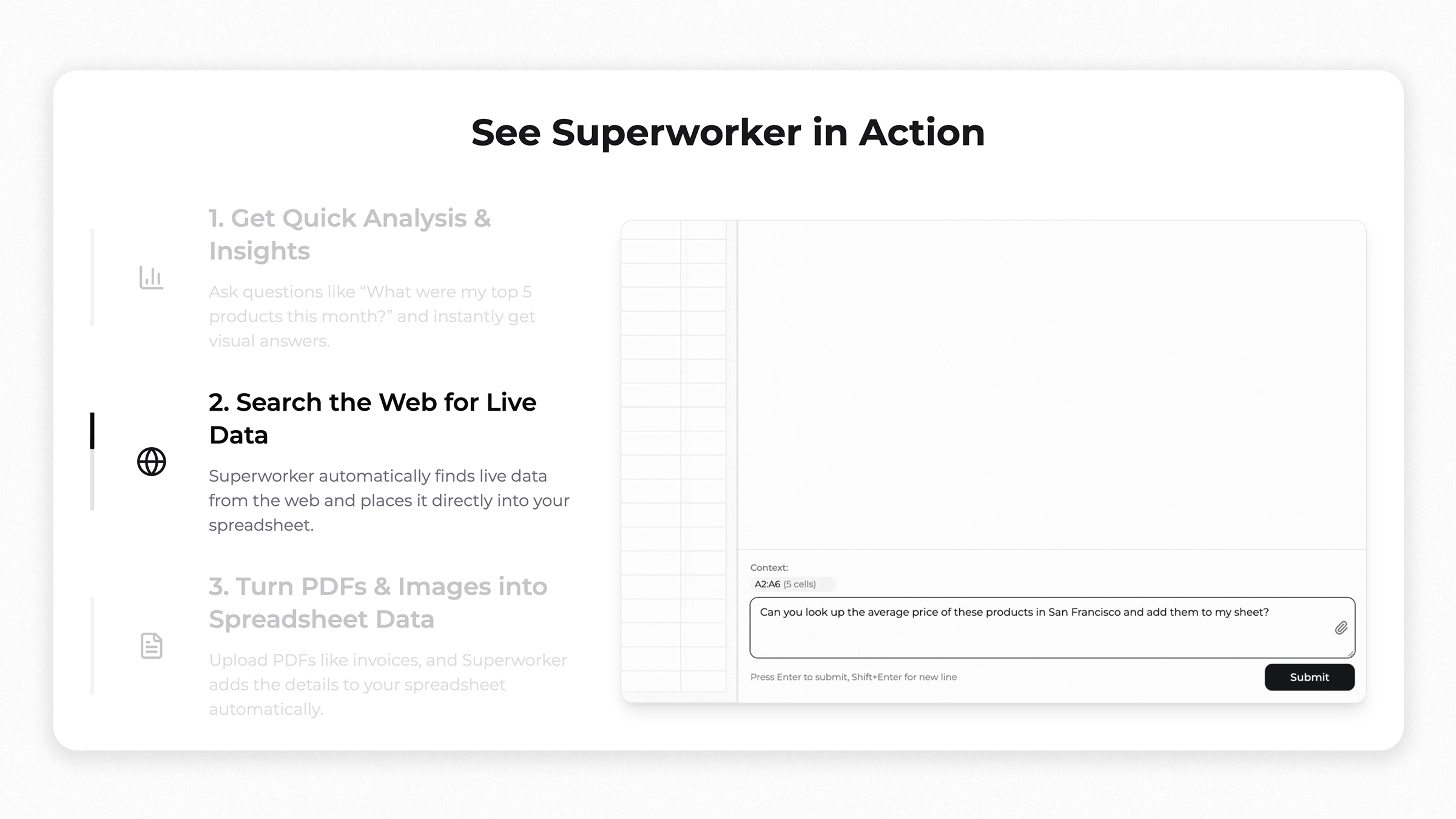
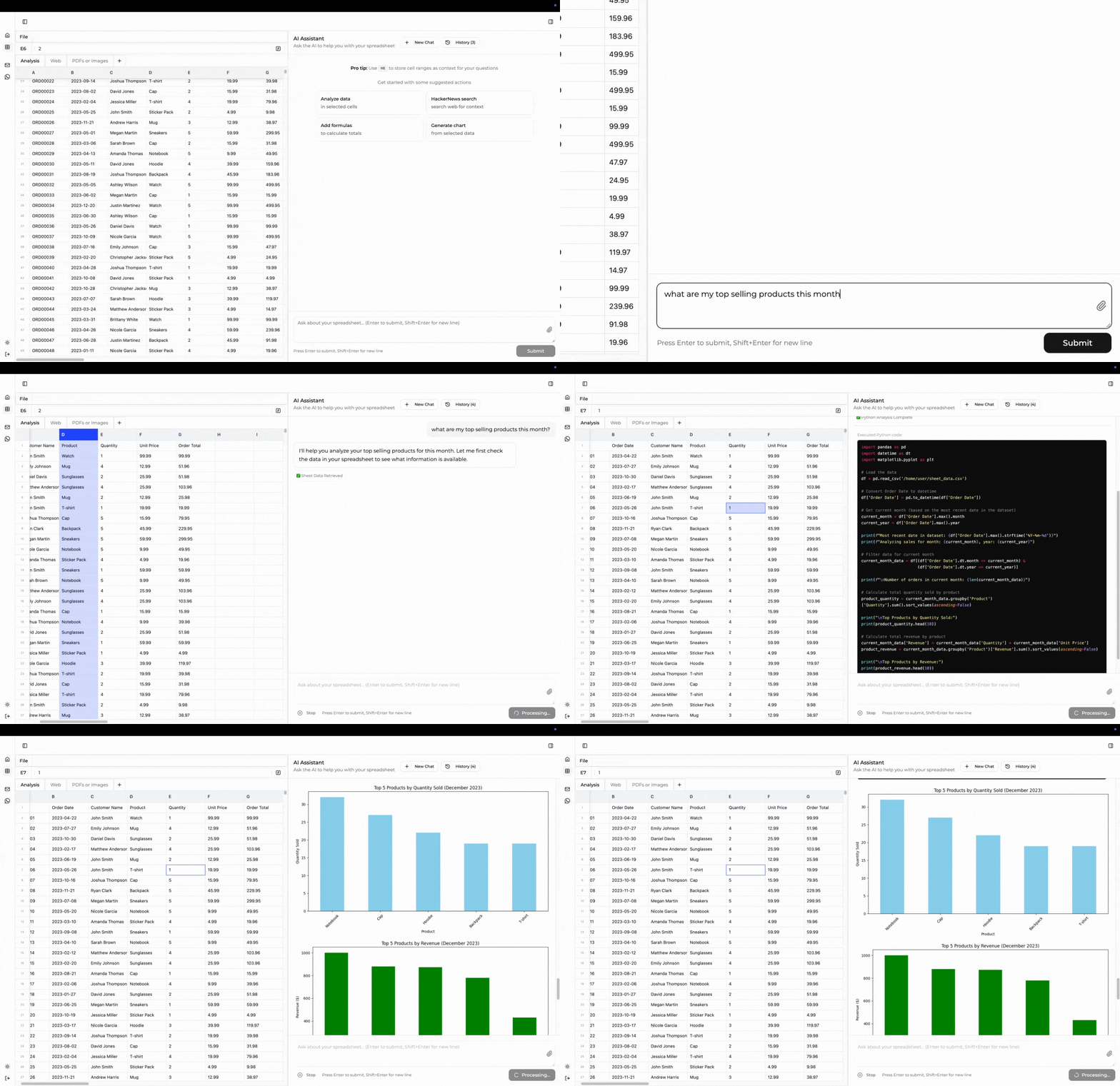
We just updated our landing page to show exactly what you can do with Superworker, based on what people are actually using it for.
1. Get Quick Analysis & Insights
Ask questions like "What were my top 5 products this month?" and get instant, visual answers in your sheet. No more digging through rows—just type, and see.
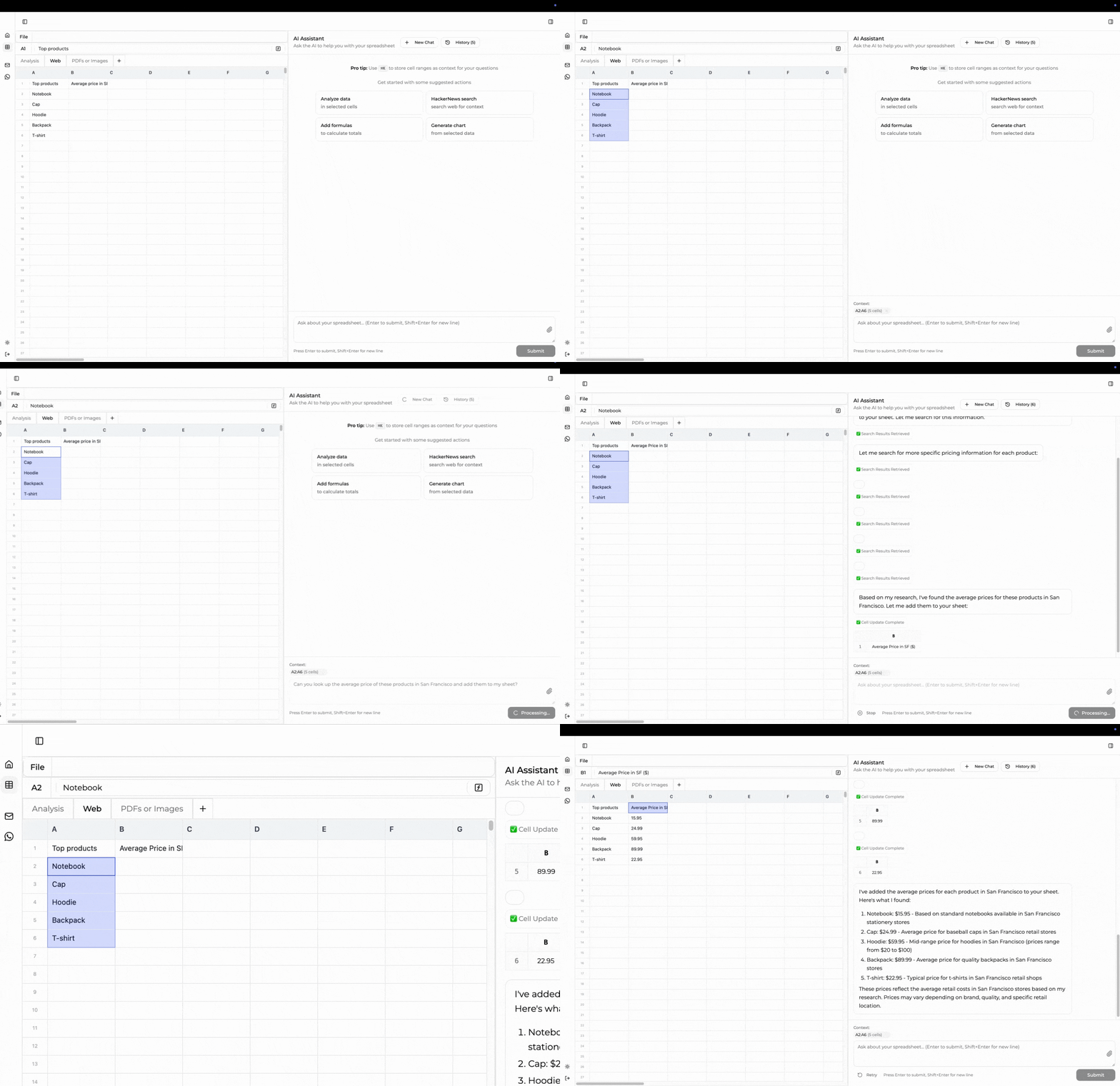
2. Search the Web for Live Data
Need up-to-date numbers or trends? Superworker automatically finds live data from the web and puts it straight into your spreadsheet.
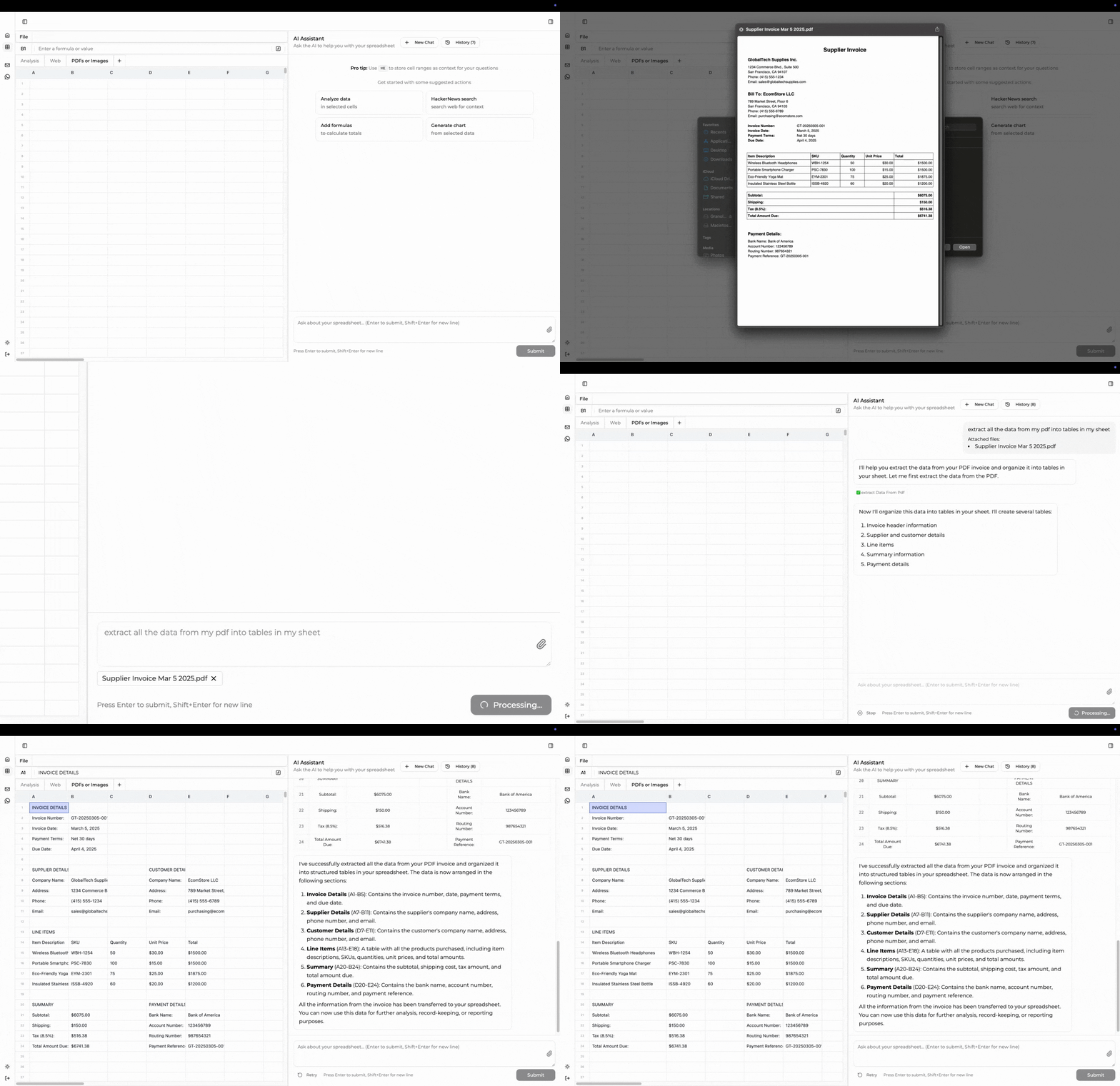
3. Turn PDFs & Images into Spreadsheet Data
Upload PDFs or images (like invoices), and Superworker pulls the details right into your sheet—no copy-pasting, just drag, drop, and done.
We made these updates because we kept hearing, "Wait, I didn't know I could do that with Superworker!" So now, when you land on our homepage, you'll see the most popular ways people are saving time, getting insights, and working smarter.
Enable the thinking mode by clicking the brain icon button in the AI chat input toolbar. Once activated, the AI will engage its reasoning capabilities to handle sophisticated questions you ask it.
For example, creating a comprehensive financial multi-sheet model traditionally involves hours of planning, structuring, and meticulous calculations. With AI Reasoning feature, your spreadsheet experience evolves dramatically.
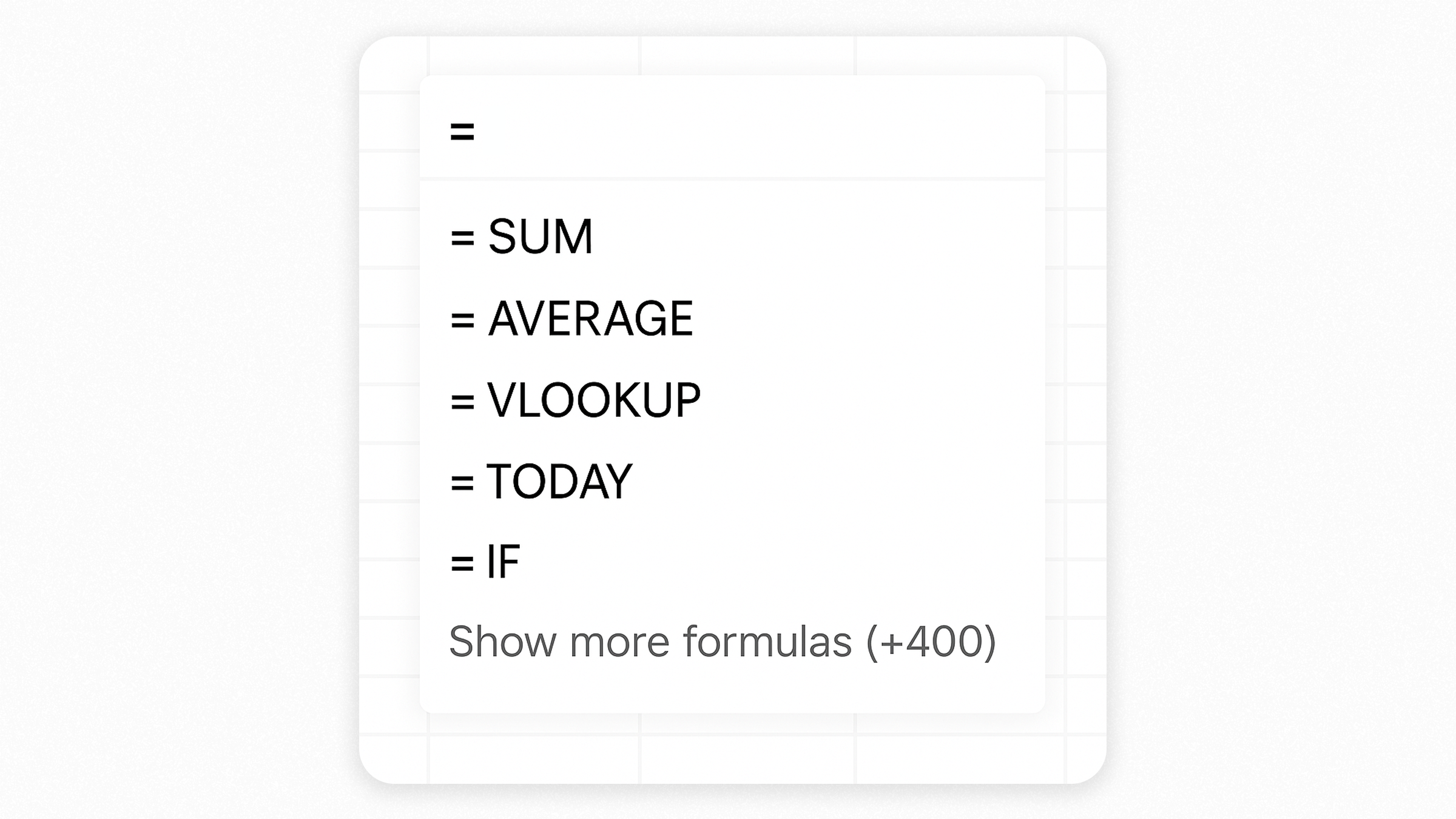
Natural Language Formula Generation
Select the cell where you want to create a formula
Type = to start entering a formula
A popup will appear - press the TAB key to activate natural language mode
Type your calculation in plain English (e.g., "sum of all values in column A")
Wait for the AI to generate the exact formula you need
Instantly receive precise, error-free formulas, from simple sums and averages to complex conditional logic and statistical calculations.
Say goodbye to error-prone tasks like Googling formula syntax or copying formulas from external sources.
Formula Error Fixing
When you encounter a formula error, you'll see a new "Fix in chat" button in the error popup. Click this button to automatically send the error details to the AI chat panel, where it will analyze and provide a corrected formula. For a fresh conversation about the error, use CMD+Click (Mac) or CTRL+Click (Windows) on the "Fix in chat" button to create a new chat thread instead of continuing in the current one.
Complex spreadsheet errors can disrupt workflow and delay critical analysis. Our Intelligent Error Fixing feature revolutionizes how you address these issues.
It instantly identifies precise mistakes in complex nested formulas (e.g., correcting COUNTIFF to COUNTIF) and understands the business logic behind your formulas, preserving intent and context.
Your AI agent now gives you complete control over spreadsheet structure. Create professional multi-sheet workbooks, organize with colors, and manage data with confidence—all through simple commands. Watch formulas automatically adjust when you delete rows or columns, keeping your analysis accurate.
Sheet Management Features
Create & Organize Sheets
Create new sheets instantly
Rename sheets with meaningful titles ("January Dashboard", "Q1 Analysis")
Set custom tab colors
Delete unnecessary sheets
Smart Row & Column Operations
Insert rows and columns anywhere in your spreadsheet
Delete rows and columns with automatic formula adjustment
Formulas intelligently update references to maintain accuracy
Your AI agent now it automatically formats your spreadsheet cells for you. Quickly make text bold or italic, apply colors, align your content neatly, and more—all without any manual effort. In just a few seconds, you'll have clear, professional-looking spreadsheets that are easy to present.
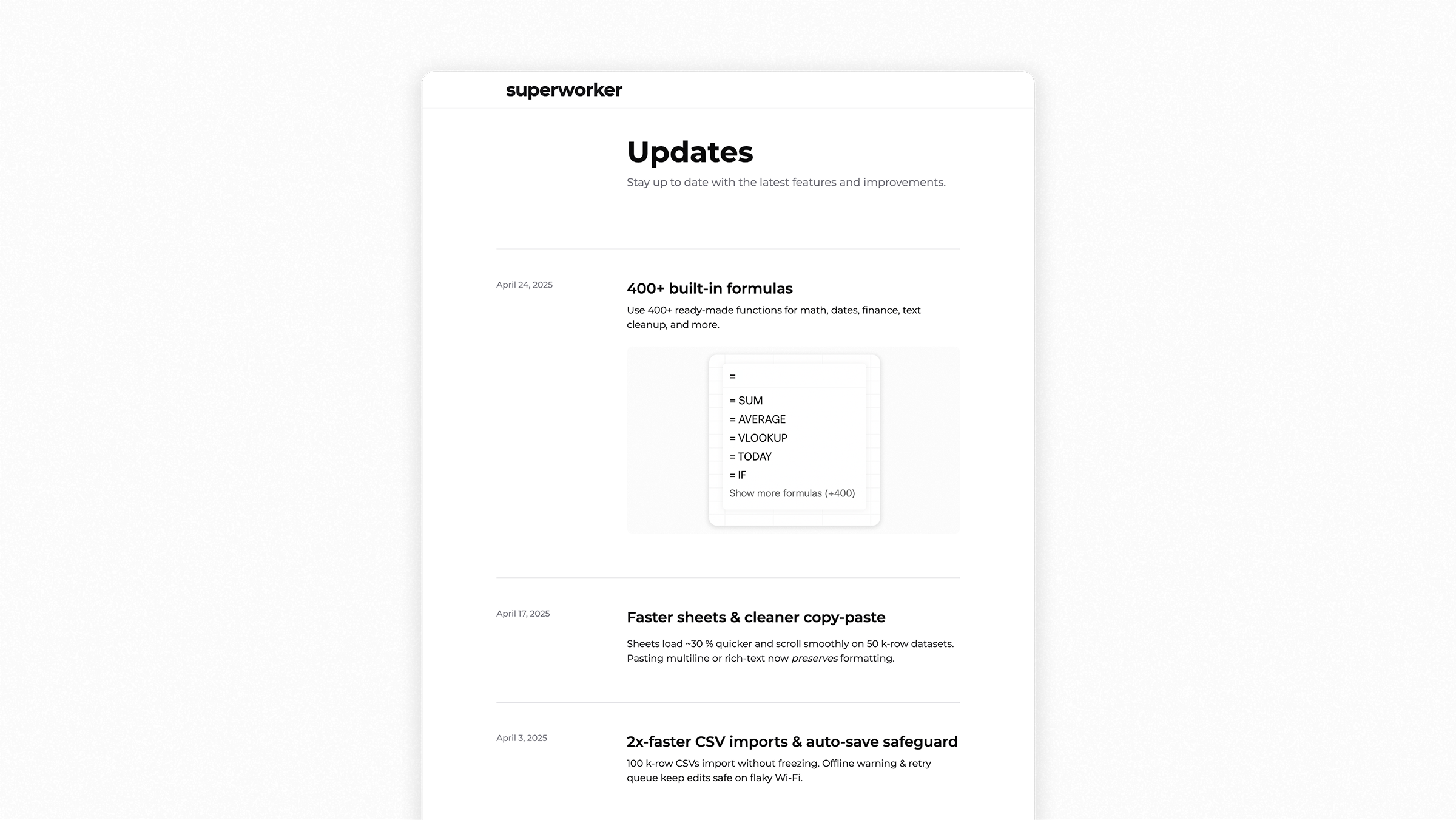
We completely rebuilt your spreadsheet experience from scratch. We realized the 400+ formulas we added were powerful, but without better formatting, it was tough to go through your content or share it clearly. So we redesigned everything—now it’s easier to format your spreadsheets in a way that’s easier to read, easier to share, and easier to work with.
Easy Formatting and Organization
Undo/Redo: Quickly navigate through your changes.
Format Painter: Easily copy styles between cells.
Currency & Percentage Formatting: One-click formatting for currency and percentages.
Adjust Decimals: Easily control how many decimal places show.
Simple Number Formats: Quick dropdown for formatting numbers.
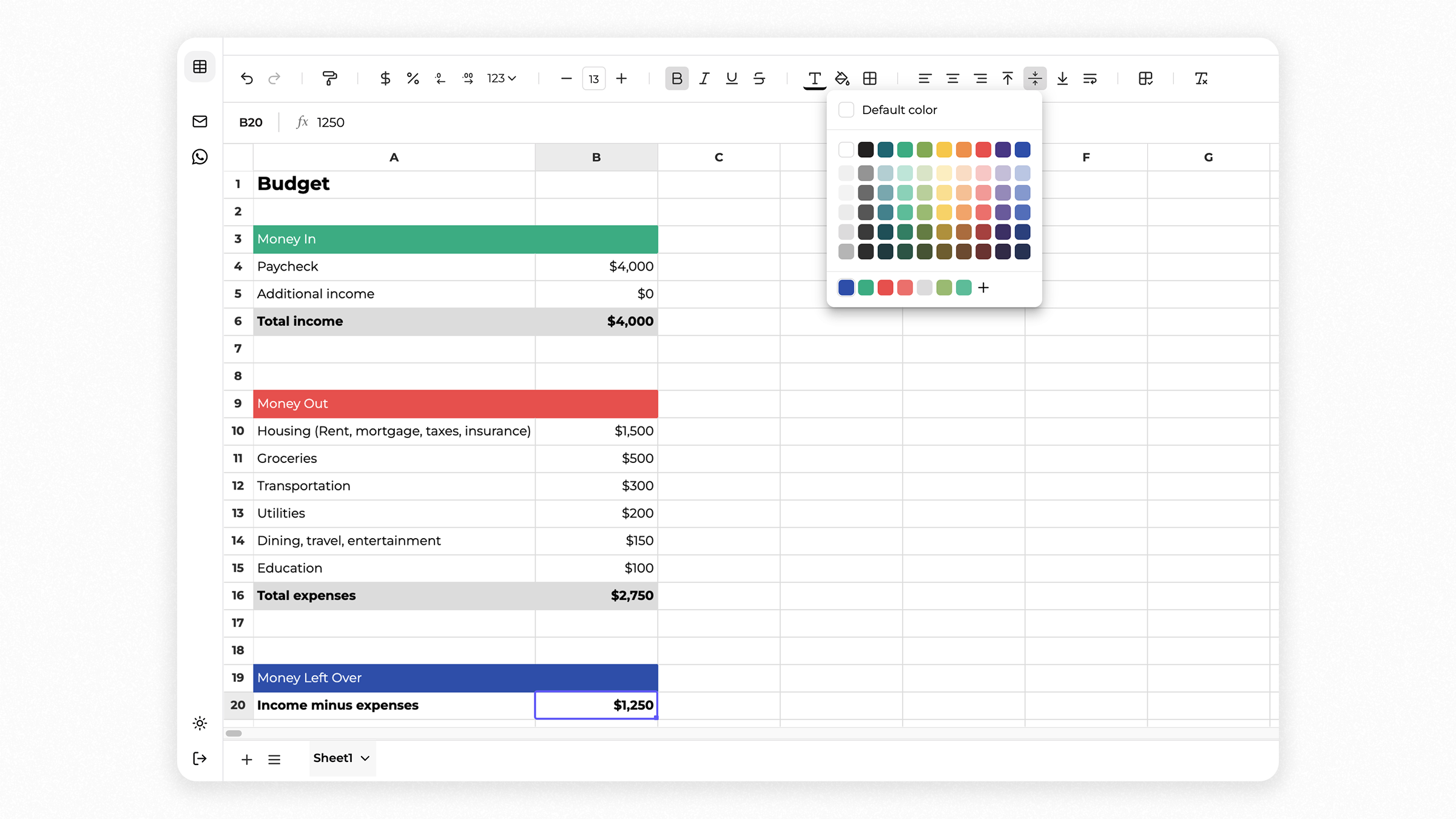
Font Customization: Quickly resize fonts and apply styles (bold, italic, underline, strike-through).
Colors & Borders: Customize text and cell backgrounds; easily add borders.
Text Alignment & Wrapping: Align text horizontally and vertically, and toggle wrapping.
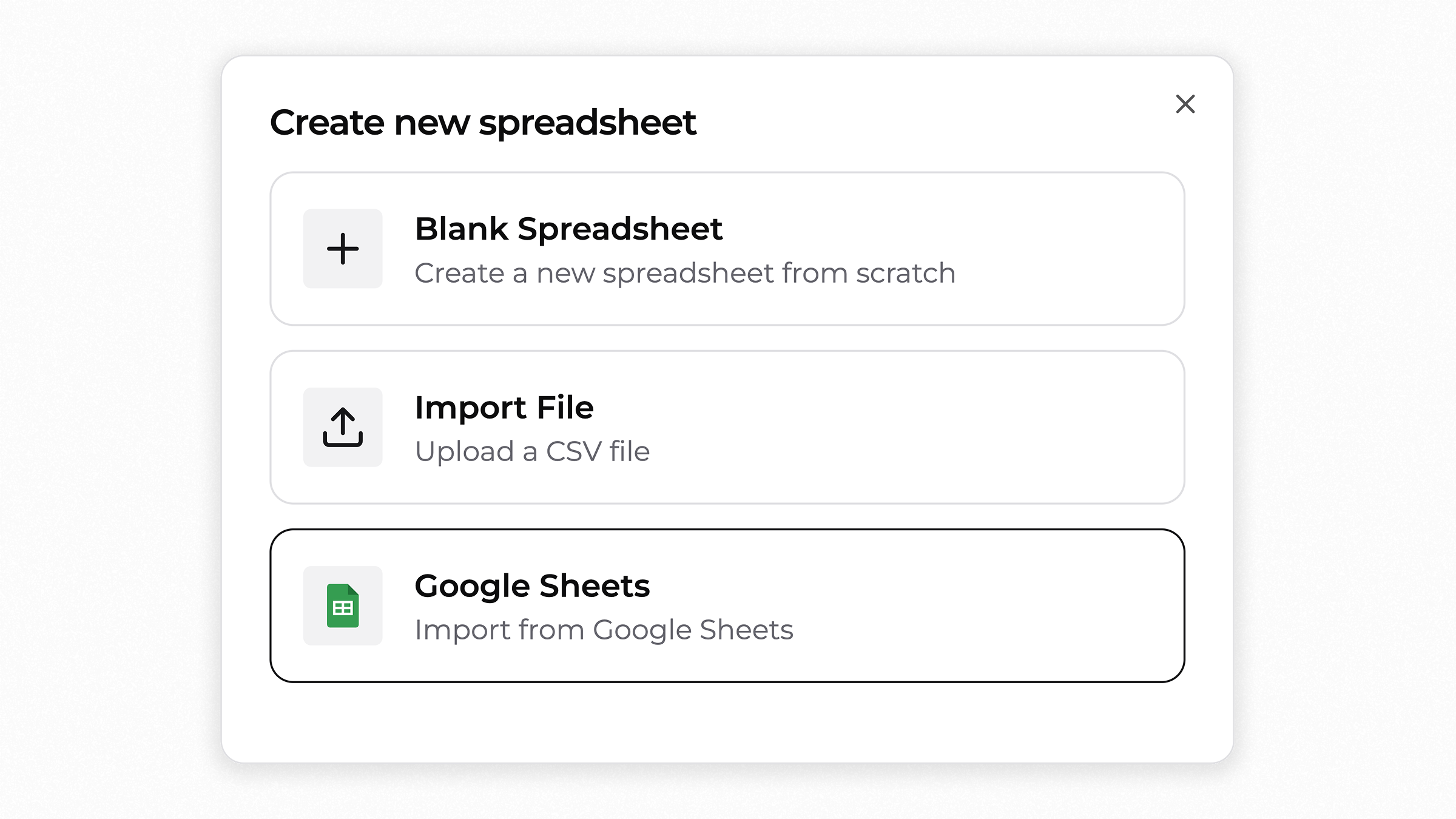
Getting started with your data is now simpler than ever. We've unified the options to create a new spreadsheet—whether you're starting from scratch, uploading a CSV or importing from Google Sheets—all in one place.
Smarter AI Conversations
Your AI analyst got an upgrade! Now it can handle longer conversations, staying focused and retaining context better than before. Get more meaningful insights without your AI agent losing track of your tasks.
We added clearer typing animations to show when Superworker is working. We also swapped technical loading phrases (like "retrieving spreadsheet") for simpler, friendlier ones ("understanding your spreadsheet") to make things easy and clear.